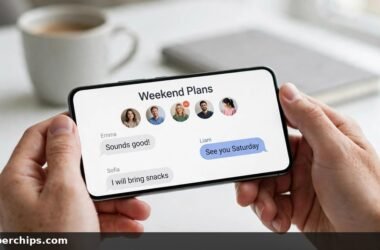
About 91% of U.S. adults now own a smartphone according to Pew Research mobile device adoption data, and Apple Messages serves millions of those daily threads. When a text suddenly stops showing a delivery status, anxiety spikes quickly. Most people search how to know if someone blocked you on iMessage right after staring at a silent blue bubble for hours.
Apple intentionally hides block status, so no alert ever pops up to confirm it. Worse still, modern iOS updates, Focus mode, RCS messaging, and dead phone batteries mimic blocking closely. You need a calm, step-by-step check that separates a deliberate block from routine signal drops before jumping to conclusions.
Apple sends no notification when someone blocks your number, so no single clue proves a block alone. Strong signs stack together: your messages stop showing “Read,” calls drop straight to voicemail after one ring or half a ring, FaceTime rings endlessly without connecting, and any shared Focus status disappears. If you see “Notifications Silenced” with a moon icon, you are not blocked. Check Apple System Status and rule out Airplane Mode or low battery before assuming the worst.
- vDelivered is unreliable: On iOS 16.5 and newer iOS versions, “Delivered” can still appear beneath a blocked text.
- vBlocking spans Apple apps: Blocking in Messages silently blocks Phone calls, FaceTime, and Mail from that contact too.
- vMoon icon clears doubt: Seeing a Focus moon icon or automated reply proves your number is still allowed through.
Why Apple Keeps iMessage Blocking Silent
Per the official Apple contact blocking support page, blocked contacts never receive a notice that a call or message was blocked. Messages sent or received stay suppressed quietly, and calls still allow a voicemail without triggering an alert on the other person’s screen.
Creating a block inside Messages applies automatically across Phone, FaceTime, and Mail under one unified list. You can inspect your own block list anytime under Settings > Privacy & Security > Blocked Contacts in iOS 26 (or Settings > Phone > Blocked Contacts on older releases).
iMessage Status Cheat Sheet: Blocked vs. Focus vs. Phone Off
Save or compare this table before sending repeated test texts. Combining three or four matching signals in one column tells a far clearer story than any single missing receipt.
| Signal Checked | Actually Blocked | Focus / Do Not Disturb | Phone Off / Dead | Switched to Android | Apple Server Outage |
|---|---|---|---|---|---|
| Delivered Status | Blank on pre-16.5; often shows on iOS 16.5+ | Shows Delivered normally | Blank until phone powers on | Shows Sent or Delivered (RCS) | Blank or stuck sending |
| Message Bubble Color | Usually stays blue; green if SMS fallback triggers | Stays blue (iMessage) | Blue first, may turn green later | Turns green (RCS or SMS) | Blue or red Not Delivered |
| Focus / Moon Banner | Never shown | Visible when shared | Often hidden once offline | Disappears completely | May fail to sync |
| Voice Call Rings | 0 to 1 ring then voicemail | 0 to 1 ring (unless Favorited) | Straight to voicemail immediately | Rings normally (4 to 6 rings) | Rings normally via carrier |
| FaceTime Call | Rings endlessly, never answers | Rings silently on their end | Rings or ends unavailable | Fails or says unavailable | Fails to connect |
| Group iMessage Thread | Your messages still reach the group | Delivered normally | Waits until reconnect | Group turns green or drops | Delayed for everyone |
Rule Out Your Own iPhone and Outages First
Before inspecting receipts, rule out bugs on your own line or a wider Apple service slowdown. Open your browser and check Apple System Status to confirm green dots next to iMessage and FaceTime. If either service shows an amber warning, read our recent Apple iCloud and services outage guide before touching any contact settings.
Send a quick test iMessage to another trusted iPhone friend or family member next. If that message stalls too, open Settings > Apps > Messages (or Settings > Messages on older iOS versions), verify iMessage is switched on, and check your Wi-Fi or cellular bars. Checking carrier account status and confirming how to check if your phone is unlocked also helps if you recently swapped SIM cards or travel eSIM profiles.
7 Real Signs Someone Blocked You on iMessage
Work through these seven diagnostic checks from lowest contact to direct tests. One isolated symptom means very little on modern iOS, while four or five stacking together form a clear pattern.
Sign 1: Check Past Receipts Without Texting First
Open your existing iMessage thread and scroll to the bottom of your last message before sending anything new. Missing “Read” receipts on an old thread where the person previously sent read receipts can reflect either blocking or toggling off Send Read Receipts under Messages settings.
Watch for missing shared status items inside that same thread without tapping Send. Notice if a previously visible Focus status banner (“has notifications silenced”) vanished permanently, or if shared location cards in Find My suddenly stopped updating for just that contact.
Sign 2: Understand What “Delivered” Actually Means on iOS 16.5 to iOS 26
Older guides insist that blocking hides the word “Delivered” beneath every blue bubble. That rule broke back in iOS 16.5 and stays inconsistent across iOS 26 and iOS 27.
Today, your iPhone frequently displays Delivered underneath a blue message even after the recipient blocks your Apple ID or phone number. Apple still suppresses the alert and hides the text on their device, while showing a delivery stamp on yours so block status stays private. Absence of “Delivered” over days points toward an offline phone or deactivated iMessage, whereas seeing “Delivered” alone no longer clears you.
Sign 3: Green SMS or RCS Bubbles vs. Red “Not Delivered” Alerts
Blue bubbles turning green cause more false alarms than any other iOS quirk. Green bubbles simply mean Messages switched from Apple iMessage to carrier RCS, SMS, or MMS because either phone lacks data, iMessage failed, or the person switched to an Android device.
Sometimes an unacknowledged blue bubble flips green minutes later with a tiny Sent as text message note. Even when that fallback occurs on a blocked line, carrier text blocking still stops the message from appearing on their screen. By contrast, a red exclamation mark labeled Not Delivered signals a sending or network fault on your device or carrier path, never a block notice.
To check whether they switched to Android instead of blocking you, watch how the green thread behaves over a few days. Modern Android phones running Google Messages often exchange RCS chats with iOS 18 and newer iPhones, showing green bubbles alongside “Delivered” or “Read” receipts and typing indicators, whereas a hard block suppresses your texts quietly without shifting into interactive RCS cues like typing dots.
Sign 4: Watch What Happens When You Call Their Number
Because an iMessage block automatically blocks voice calls, a single voice call gives stronger evidence than message bubbles. Call the person normally and count the rings carefully.
Blocked calls typically emit zero rings or half a ring before dropping straight into voicemail. Let it play through: blocked callers still reach voicemail, yet the message lands silently inside a separate Blocked Messages folder on their iPhone without alerting them. Remember that an aggressive Focus mode or dead battery can also send calls straight to voicemail, so never stop at one test call.
Sign 5: Test With a Quick FaceTime Audio or Video Call
Try placing a FaceTime audio or video call to that same contact if phone calls feel inconclusive. When someone turns off their iPhone or loses service, FaceTime usually drops quickly or shows unavailable.
If the recipient actually blocked you on iOS, FaceTime often keeps ringing indefinitely on your screen while never vibrating or appearing on their iPhone at all. Repeated unanswered rings paired with one-ring voice calls strengthen the block hypothesis noticeably. Remember to check both their phone number and their Apple ID email inside FaceTime, since someone occasionally blocks only one identifier if they added a single entry manually.
Sign 6: Look Inside a Shared Group iMessage Thread
Group chats ignore one-on-one block lists inside Apple Messages. If you share an existing blue-bubble group thread with that person and a third friend, messages you post inside the group still deliver to everyone, including someone who blocked you directly.
Check whether that person stays active in a shared group while ignoring direct calls and texts. Reviewing removing someone from a group text explains how Apple handles group membership rules separately from individual blocks.
Sign 7: Caller ID Masking (*67) as a Technical Last Resort
Dialing *67 right before a phone number hides your caller ID on standard U.S. mobile carriers, turning your outgoing call into “No Caller ID.” If multiple normal calls drop to voicemail after one ring yet a *67 call rings four or five times, your specific number is being filtered on their handset.
4 Clear Signs You Are Definitely Not Blocked
Before assuming the worst, check these four reliable indicators that confirm your number remains unblocked:
- The Moon Icon and “Notifications Silenced”: Seeing a purple crescent moon icon or silence banner in the thread (iOS 15 and newer) confirms the recipient’s Focus mode allows your status through.
- Automated Driving or Do Not Disturb Replies: iOS refuses to send auto-reply Focus texts to blocked numbers, so receiving one confirms you are unblocked.
- Typing Dots or New Incoming Messages: Any incoming iMessage or three-dot typing bubble from them means your thread is open, though note a blocker can technically still message you outbound.
- Active RCS or iMessage Read Receipts: Seeing “Read” under any recent blue iMessage or green RCS chat immediately rules out a current block.
What Happens on Their End (And If They Unblock You)
Understanding how iOS behaves on the recipient’s side saves hours of guesswork. Any texts you send while blocked vanish into Apple’s routing drop rather than sitting in an inbox queue, so unblocking you weeks later will not suddenly dump old messages onto their phone. Your Mac or iPad signed into the same Apple Account mirrors that same delivery state automatically.
Oddly enough, blocking works one way for outgoing texts from the blocker. Someone who blocked your contact card can still open your thread, type a message (showing the animated typing dots on your screen), and send you a blue iMessage, though your replies back stay blocked until they remove you from Blocked Contacts.
Voicemails work slightly differently. Audio voicemails recorded while blocked still save into a hidden Blocked Messages folder at the bottom of their Phone app’s Voicemail list without triggering a badge or chime. If you are dealing with spam callers or unwanted texts yourself, review the FCC guide to blocking unwanted texts for carrier-level protections and 7726 spam reporting.
Frequently Asked Questions
Will iMessage say Delivered if I’m blocked?
Often yes on modern iPhones. Starting with iOS 16.5 and continuing through iOS 26 and iOS 27, iMessage frequently shows “Delivered” beneath blue texts even when the recipient blocked you, though the message never appears on their screen.
Does a green bubble mean someone blocked me on iMessage?
No, green bubbles do not prove a block by themselves. Green indicates your iPhone sent the message over SMS, MMS, or RCS instead of iMessage, usually due to poor data signal, iMessage turned off, or switching to Android.
Does the moon icon in iMessage mean I’m blocked?
Quite the opposite: seeing the moon icon or “Notifications Silenced” banner proves you are not blocked. Apple hides Focus status indicators from blocked contacts, so visible silence notices confirm your messages are simply muted temporarily.
Can you tell if someone blocked you on iMessage without texting or calling them?
You can spot indirect clues without messaging, though none offer absolute proof alone. Check whether a previously visible Focus silence notice vanished, see if shared Find My location disappeared, and rule out Apple System Status outages first.
Does blocking someone on iMessage also block phone calls and FaceTime?
Yes, Apple links blocks across its core communication apps automatically. Blocking a contact inside Messages blocks their phone calls, FaceTime calls, and Mail messages under the same entry in Settings.
Can a person tell if I blocked them on iMessage?
No, iOS never alerts someone when you add them to Blocked Contacts. Your device stays quiet without sending any notice, though someone might notice single-ring calls to voicemail or missing Focus indicators over time.
The Bottom Line
Apple designs iMessage blocking to stay completely private, so a single missing receipt or green bubble never settles the question on its own. Start by checking Apple System Status and Focus silence banners, then compare call ring behavior and FaceTime responses against our diagnostic table before assuming you were blocked.