


In today’s digital era, connecting with friends, family, and businesses has become easier than ever. One of the standout features of WeChat is the WeChat QR, a simple yet powerful tool that allows users to add contacts, join groups, and interact with brands in a seamless way. From personal connections to business networking, understanding how to use WeChat QR can transform your social experience. In this article, we will explore everything you need to know about WeChat QR, from its creation to its practical uses.
What is a WeChat QR?
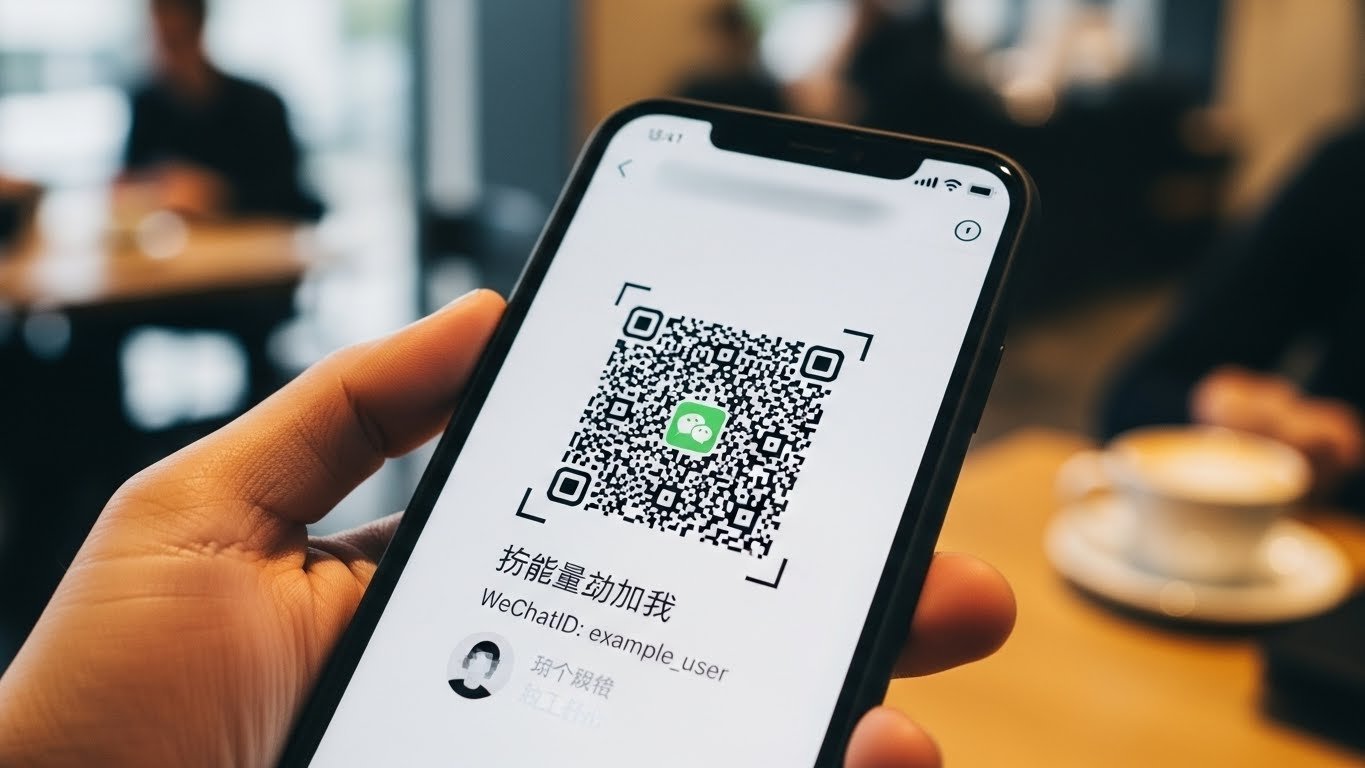
A WeChat QR is a unique QR code associated with your WeChat account. Instead of manually entering phone numbers or usernames, this code allows others to scan and add you instantly. The convenience of using a QR code eliminates typing errors, speeds up connections, and enhances overall communication efficiency.
Each WeChat account generates a personalized QR code, which can be customized with profile pictures and unique designs in some cases. Businesses and brands can also generate QR codes to promote their services or share official accounts with customers.
How to Find Your WeChat QR Code
Finding your WeChat QR is simple:
- Open the WeChat app on your device.
- Tap on the “Me” tab in the bottom menu.
- Select “Profile” or “My QR Code.”
- Your QR code will appear, ready to share.
You can save the code to your gallery or share it directly through social media or messaging apps. It’s a convenient way to introduce yourself to new contacts quickly.
You Might Also Like: Nimedes
Adding Contacts Using WeChat QR
Adding friends via a WeChat QR is straightforward:
- Open the WeChat app and tap “Discover.”
- Select “Scan” to open the camera.
- Point your camera at the QR code of the person you want to add.
- Confirm the friend request.
This method is particularly useful in networking events, social gatherings, or online promotions where sharing usernames can be cumbersome. The WeChat QR ensures quick and accurate connections without hassle.
WeChat QR for Group Invitations
Beyond individual connections, WeChat QR is essential for joining groups. Group administrators can generate a QR code that allows others to scan and join automatically. This eliminates the need for manual invites and streamlines group management.
To use a WeChat QR for group invitations:
- Open the group chat.
- Tap on the group name and select “Group QR Code.”
- Share the code with participants who wish to join.
This feature is widely used by businesses, hobby groups, and online communities to expand participation efficiently.
WeChat QR for Businesses
Businesses can leverage WeChat QR to grow their audience and connect with customers directly. By scanning a business’s QR code, users can follow official accounts, receive updates, and even access special promotions.
Key benefits of using WeChat QR for business:
- Brand visibility: Share your code on posters, websites, and packaging.
- Customer engagement: Users can contact support or make inquiries directly.
- Marketing campaigns: QR codes can be used in promotions and loyalty programs.
Many brands have successfully integrated WeChat QR into their marketing strategy to boost customer interaction and retention.
Customizing Your WeChat QR Code
WeChat allows limited customization for QR codes. Users can choose profile pictures and background colors to make the code visually appealing. For businesses, some premium tools enable more advanced designs, incorporating logos or branded visuals.
Customizing your WeChat QR not only makes it recognizable but also encourages people to scan it, enhancing engagement and connection rates.
Security and Privacy Considerations
While WeChat QR is convenient, it’s important to consider privacy and security:
- Share carefully: Only share your code with trusted contacts or public platforms you control.
- Monitor requests: Be cautious of spam or unknown friend requests.
- Update when needed: If your code is widely shared and misused, you can regenerate a new one.
Being mindful of these measures ensures that your WeChat experience remains safe and enjoyable.
You Might Also Like: Seekde
Tips for Using WeChat QR Efficiently
- Save codes: Keep a library of frequently used QR codes for easy access.
- Print codes: For offline events, print your WeChat QR on business cards or flyers.
- Share digitally: Use messaging apps, emails, or social media to send your code.
- Check updates: Refresh your QR code periodically to ensure it works correctly.
- Combine with features: Use QR codes alongside WeChat Pay or Mini Programs for added functionality.
These strategies help maximize the benefits of the WeChat QR system.
Common Issues with WeChat QR
Despite its convenience, users may face challenges:
- Expired QR codes: Codes can expire or change if regenerated.
- Scanning errors: Low lighting or damaged codes may fail to scan.
- Overuse in public spaces: Sharing codes publicly may attract spam or unwanted contacts.
Understanding these issues allows users to troubleshoot effectively and use the WeChat QR feature without disruptions.
WeChat QR vs. Traditional Contact Methods
Compared to manual methods like entering phone numbers or usernames, WeChat QR offers:
- Speed: Instant connections with a simple scan.
- Accuracy: Eliminates typos and mismatched contacts.
- Convenience: Works in both online and offline environments.
It has become the preferred method for modern social networking and professional interaction.
Future of WeChat QR
As WeChat evolves, the WeChat QR feature may become more integrated with additional services:
- Enhanced business tools: Direct integration with e-commerce and CRM systems.
- Event management: QR codes for conferences and virtual meetings.
- AI-driven personalization: Smart suggestions based on scanning history.
These innovations will continue to make WeChat QR an essential tool for communication and connection in both personal and professional settings.
Conclusion
The WeChat QR is more than just a simple code—it’s a gateway to efficient communication, networking, and business engagement. By understanding how to generate, share, and customize your code, you can expand your connections seamlessly. Whether you’re connecting with friends, joining groups, or promoting your business, mastering WeChat QR ensures you make the most of this versatile tool.
By integrating safety measures, using customization features, and exploring its full range of applications, anyone can harness the power of WeChat QR to enhance their social and professional life.